
After a packed 2025 season, we had healthy to-do list of tweaks and feature requests – all aimed at optimising our maps for event organisers. Requests ranged from simple refinements to brand-new tools and dashboards.
It was a busy winter of development, but we’ve made a host of improvements to our platform as a result. Here are our top picks:
Google Analytics tab
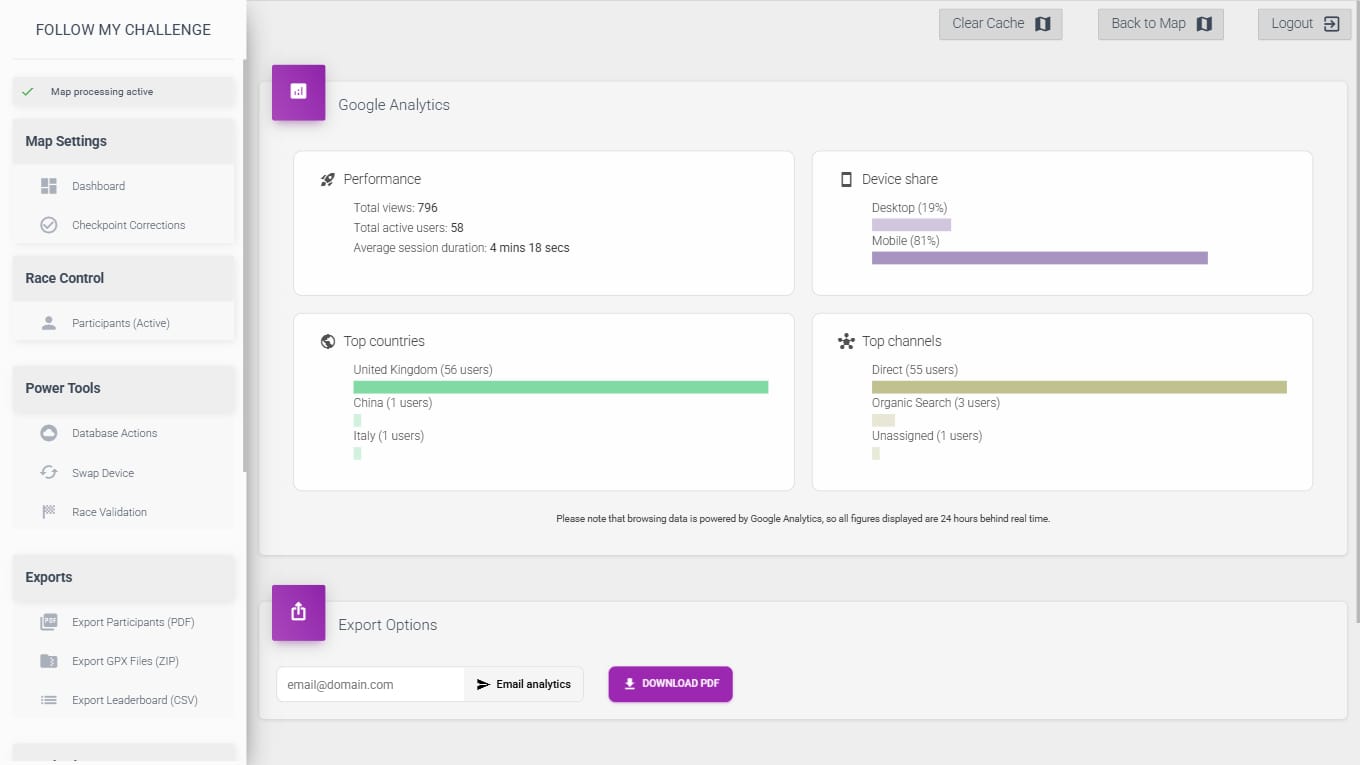
All maps now link directly to Google Analytics, allowing event organisers to check web performance metrics while logged in. As sponsors start to appreciate the reach and engagement of tracking, this is a powerful tool to show the promotional power of events. All data is laid out in an easy-to-digest format, with the option to share by email or download.
Read more here.
Low battery SMS alerts
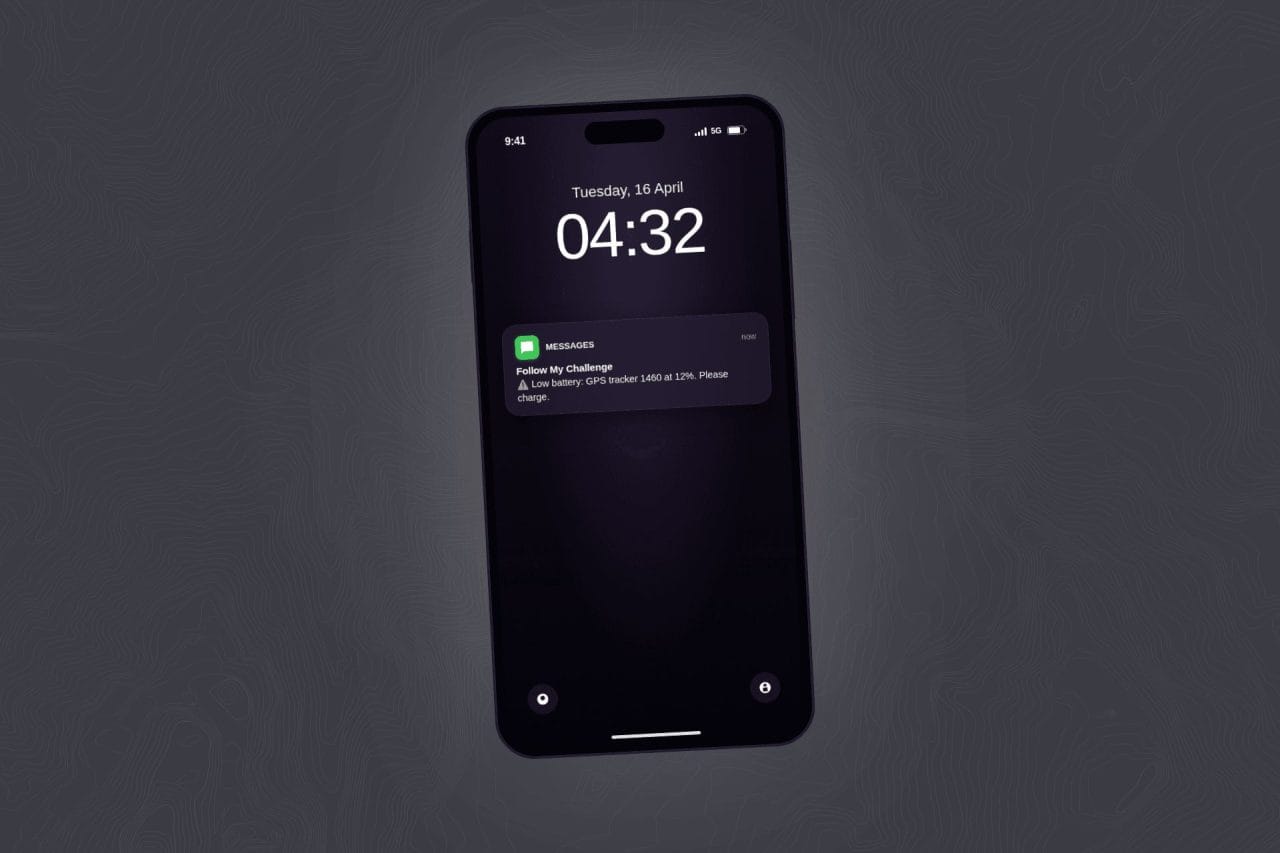
During events, participants are often all consumed by the adventure, whilst organisers are juggling countless responsibilities. All of this means that monitoring tracker battery levels can be easily overlooked by both parties. Therefore, we have added low battery SMS alerts – included at no extra cost – for all events going forwards. These automate the reminder process, and the threshold and re-send frequency can both be adjusted in the manager.
Read more here.
Invisible dots
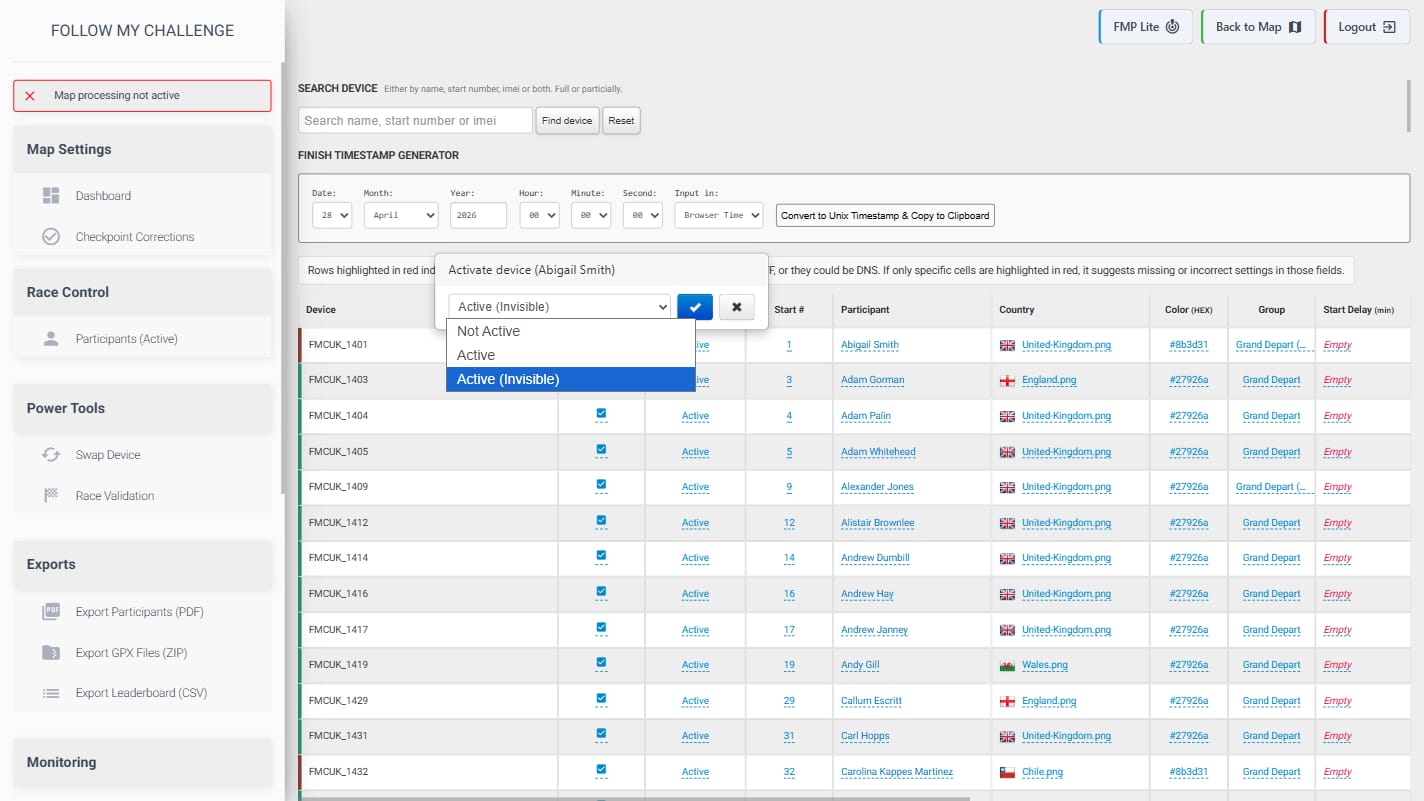
It has been increasingly requested to have the ability to follow trackers while logged in, whilst keeping them hidden from the public map. Typically, this is requested for film crews, medical teams or other crew trackers that don’t need to be seen publicly. To accommodate this, we have added a new device status in the manager shown as “Active (invisible)”. When a tracker is switched to this status, it will only be visible when logged in.
Greater Flexibility Displaying Genders
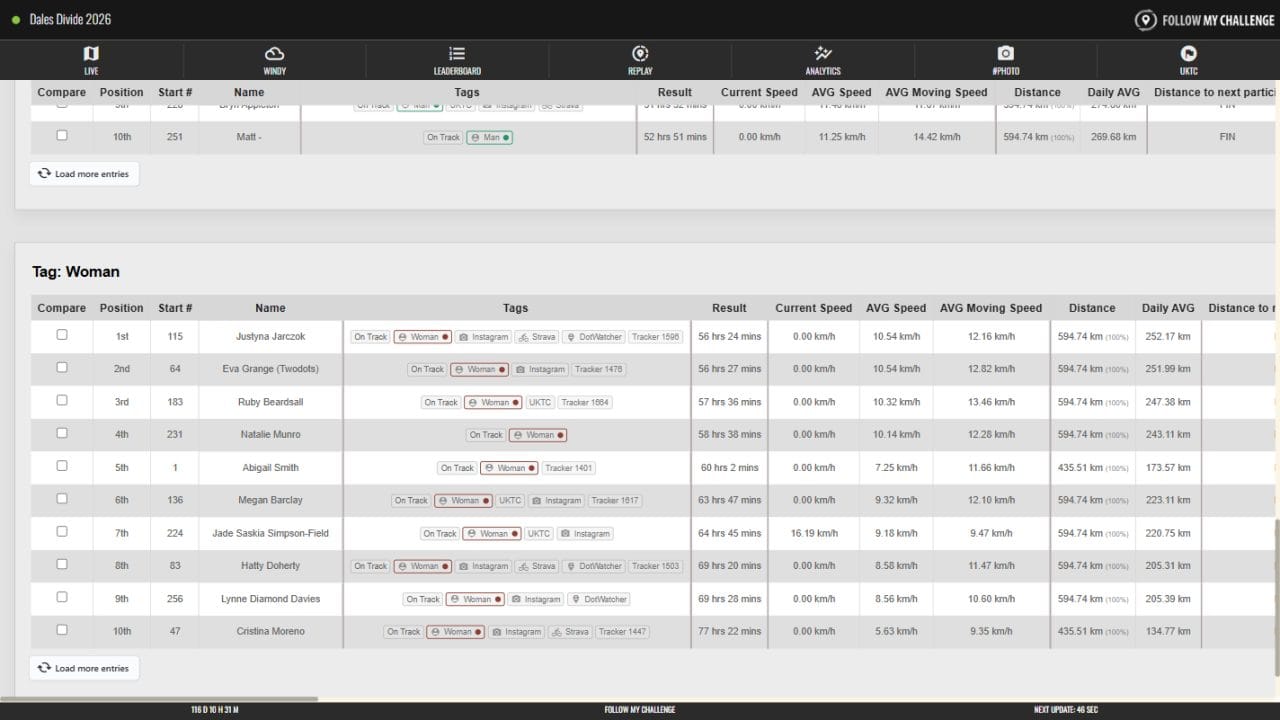
Across the events we work with, there are a range of preferences when it comes to displaying participants’ genders. From split gender classifications to entirely genderless rosters, our platform needs to accommodate them all – with room to customise and adapt to everything in between.
Our completely rebuilt tagging system adds all of the required flexibility, allowing for a whole selection of common requests relating to genders. Options can be found in the tracking agreement and include:
- Free text format to accommodate all gender preferences
- Gender sub leaderboards
- Customisable gender colours that are displayed in tags for more intuitive styling
- Blank tags (i.e. no gender selected or declared) skipped as default
- Visual gender filters in the Details menu
- Gender filtering in the Analytics tab
Tracker DIagnostic QR codes
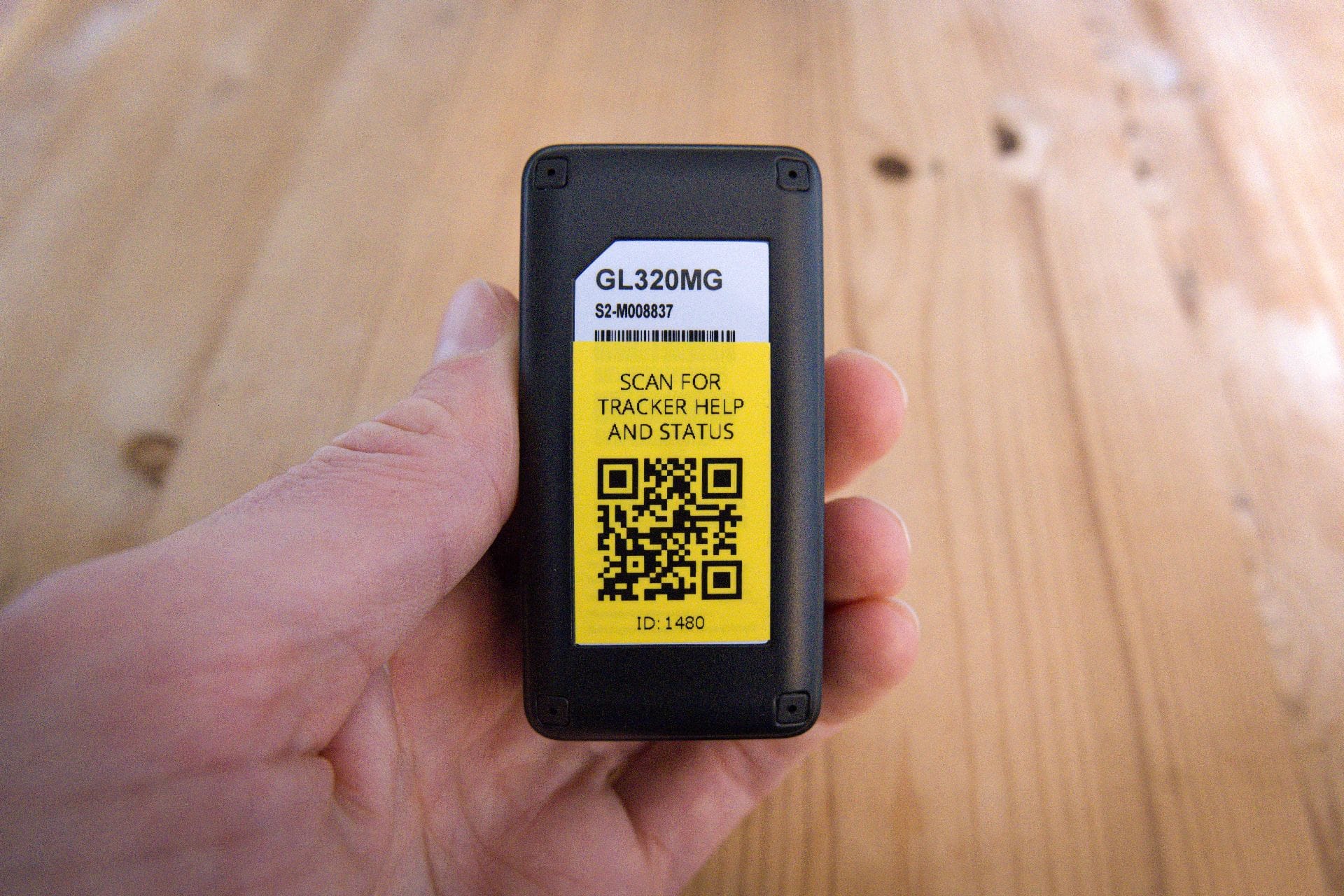
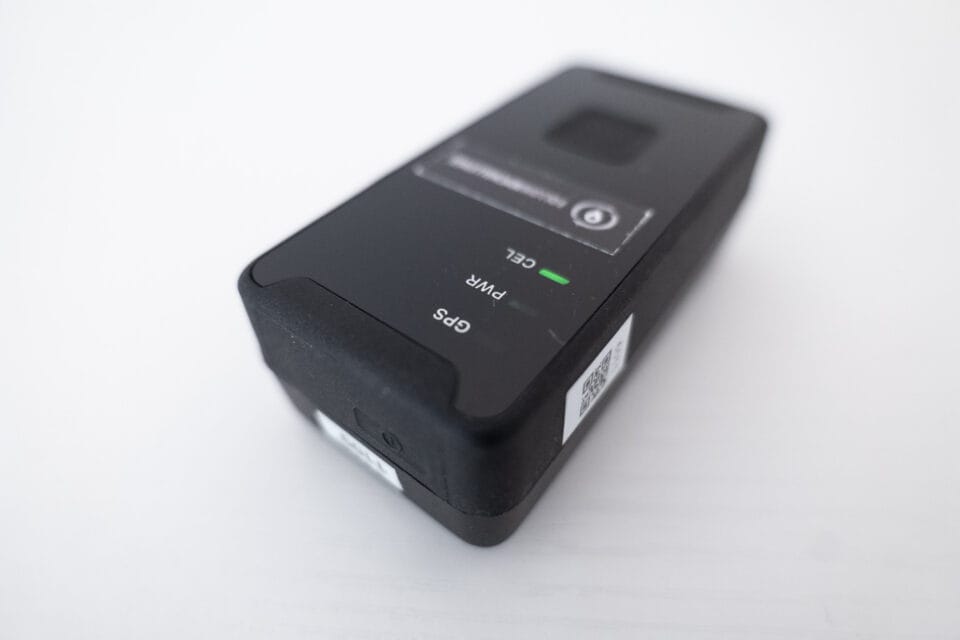
We’ve added a QR code to the rear of our Queclink GL320MG trackers, giving participants a quick and easy way to check their device is working before and during an event. Each tracker now carries a unique QR code on its back. Scanning it with a phone camera opens a dedicated status and diagnostics page for that specific device.
The diagnostics page gives a real-time snapshot of how the tracker is performing, including battery level, cellular signal strength, GPS quality and satellite count. This page empowers participants to troubleshoot issues themselves – also linking to both help videos and troubleshooting pages. This saves time when there are issues, reducing the need for organiser interventions and ensuring all the key info for participants is only a QR scan away.
Read more here.
Enhanced Checkpoint Corrections Tool
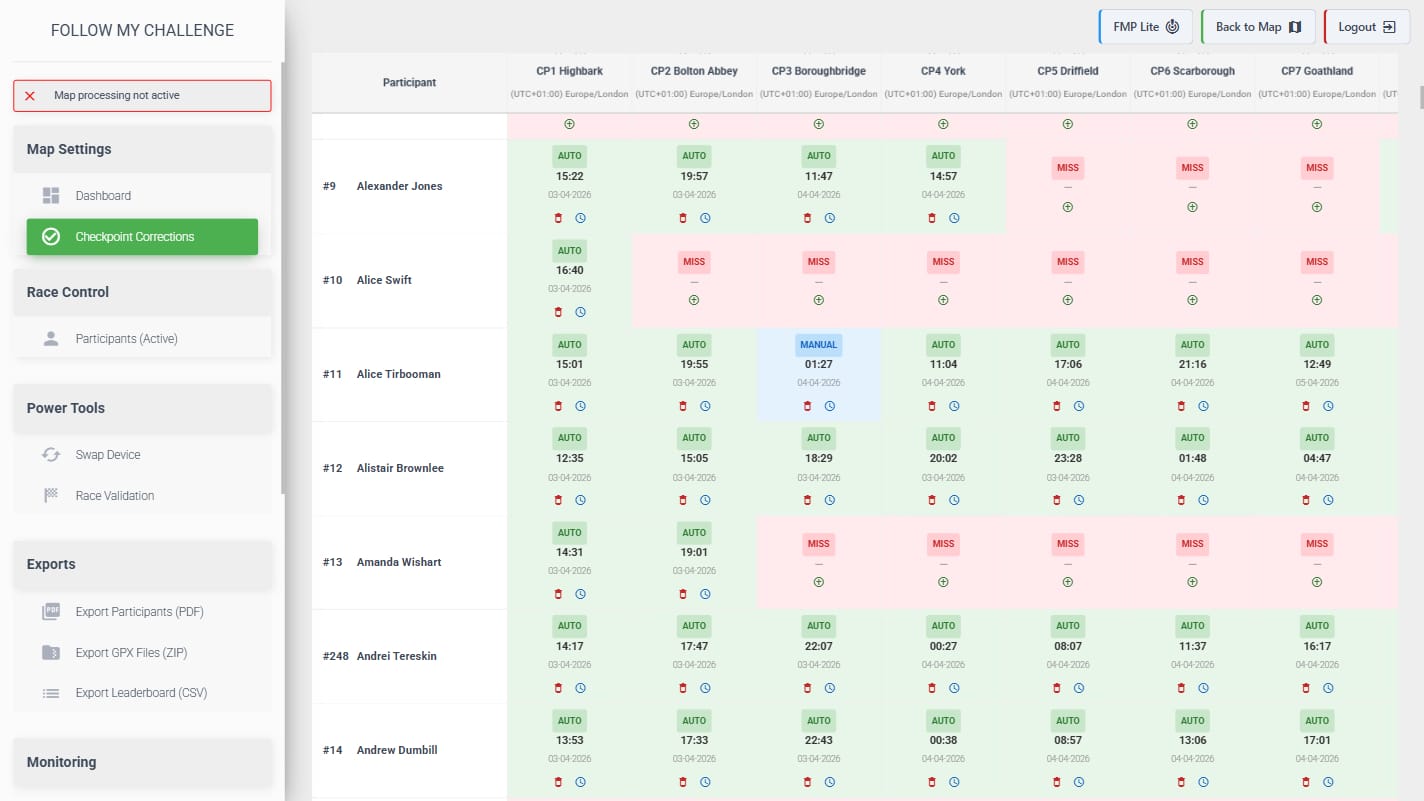
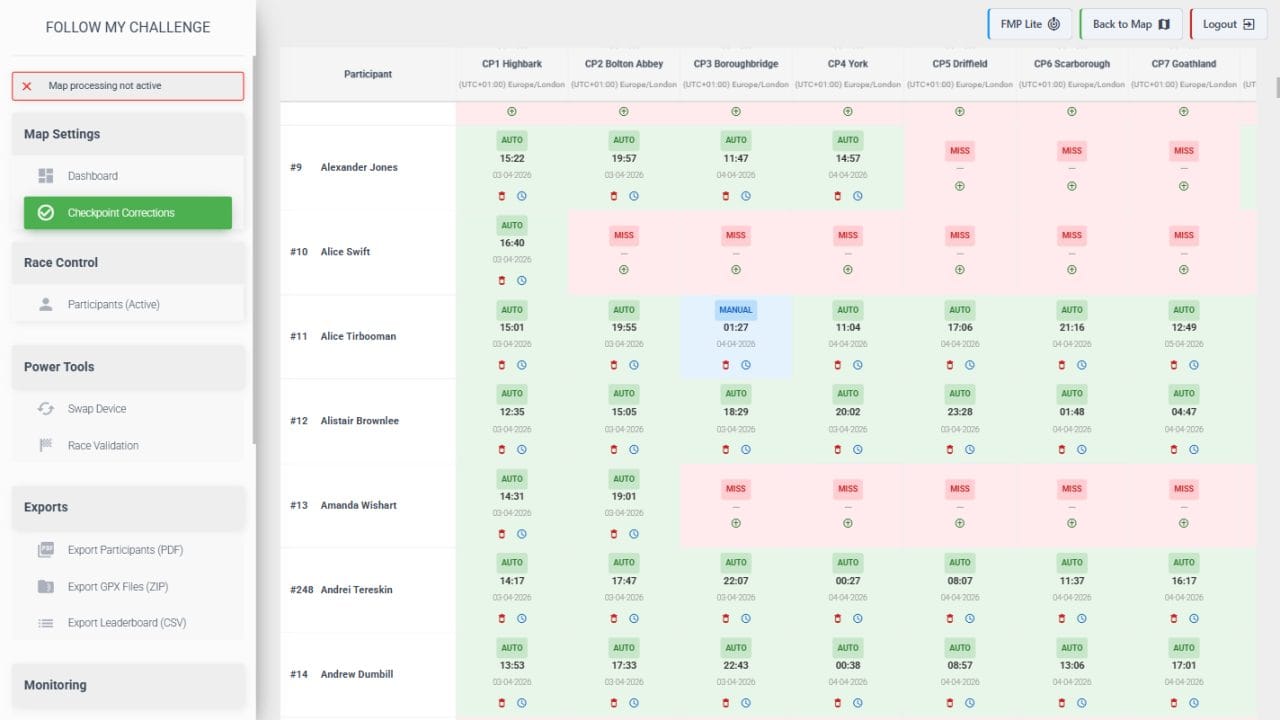
The checkpoint corrections tab in the manager has been upgraded, adding functionality and improving ease of use. Time corrections can still easily be applied, but now checkpoint matches can also be deleted or created with a few simple clicks. The new layout displays information in a clear format, highlighting where manual changes have been applied and where gaps exist.
Follow My Pro Lite
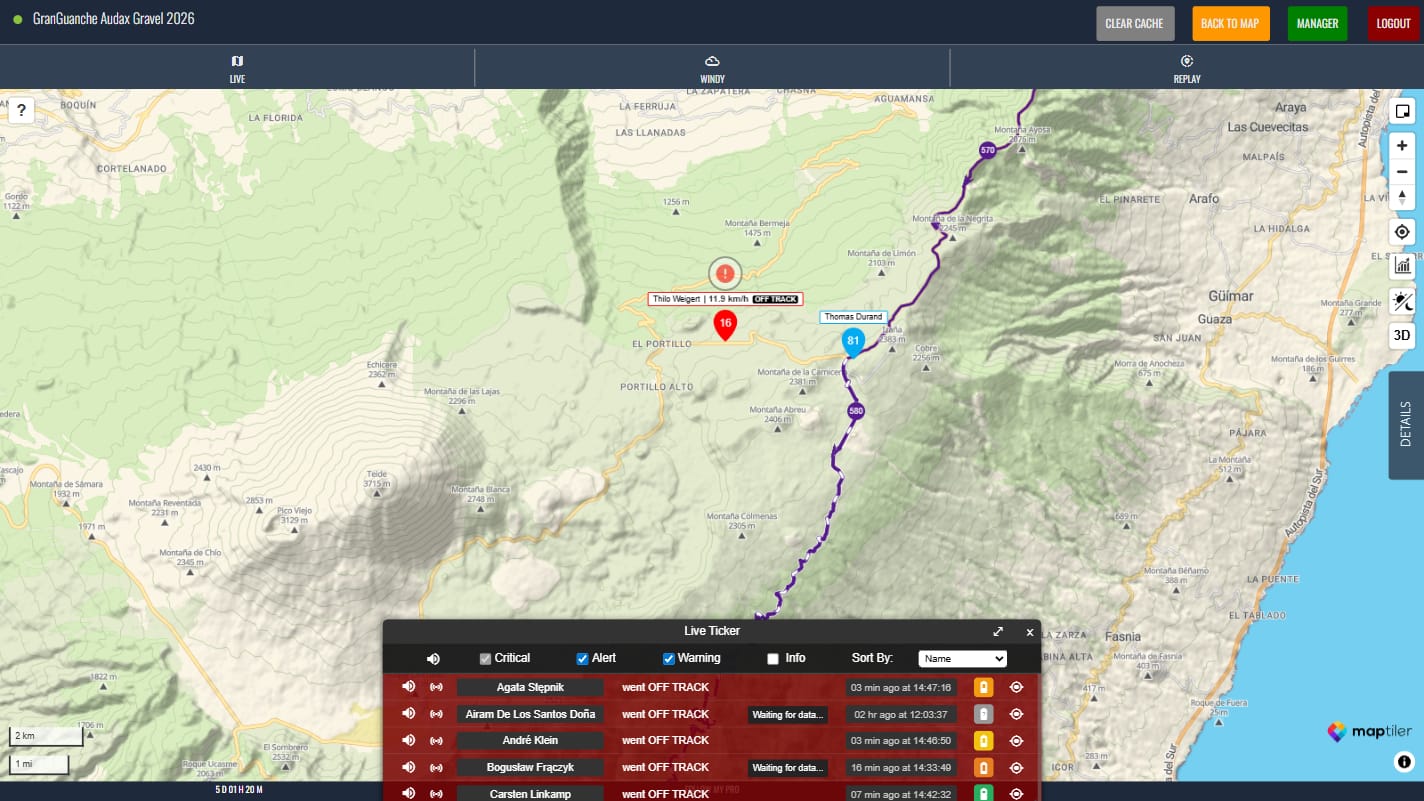
Follow My Pro Lite brings safety-focused anomaly detection directly to your event map – no separate setup, no extra tools. It’s a lightweight version of Follow My Pro, our bespoke race monitoring product used by professional race teams. FMP Lite shares the same visual style and alert framework, giving organisers powerful monitoring capabilities without the high-frequency updates and accelerated processing of the full product.
Read more here.
Race validation tool [Beta]
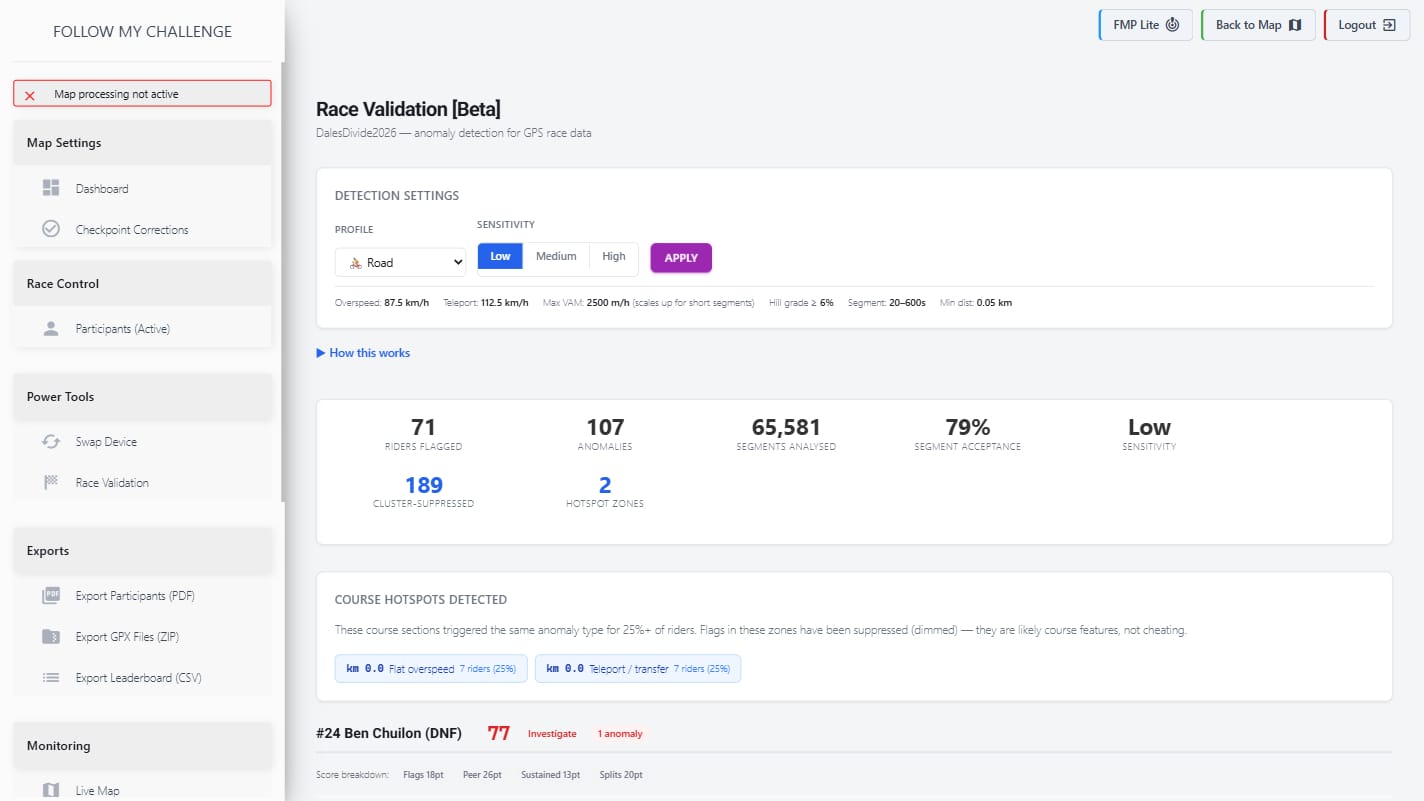
As more scrutiny falls on higher profile events, where the competitive aspect is under more focus, the need to analyse participants’ tracker data for potential anomalies becomes greater. Our new race validation tool does just this – comparing each recorded track with the route data to highlight where anomalies exist and flag “inhuman” performances. But it goes beyond this, excluding grouped anomalies as likely poor route data, displaying a confidence score and allowing you to refine by event modality.
The tool is still in beta stage and will always remain limited to fixed route events, but it has the potential to speed up any organiser checks enormously. What would take hours manually can now be achieved in a fraction of the time thanks to this tool.
Enhanced Battery Analytics
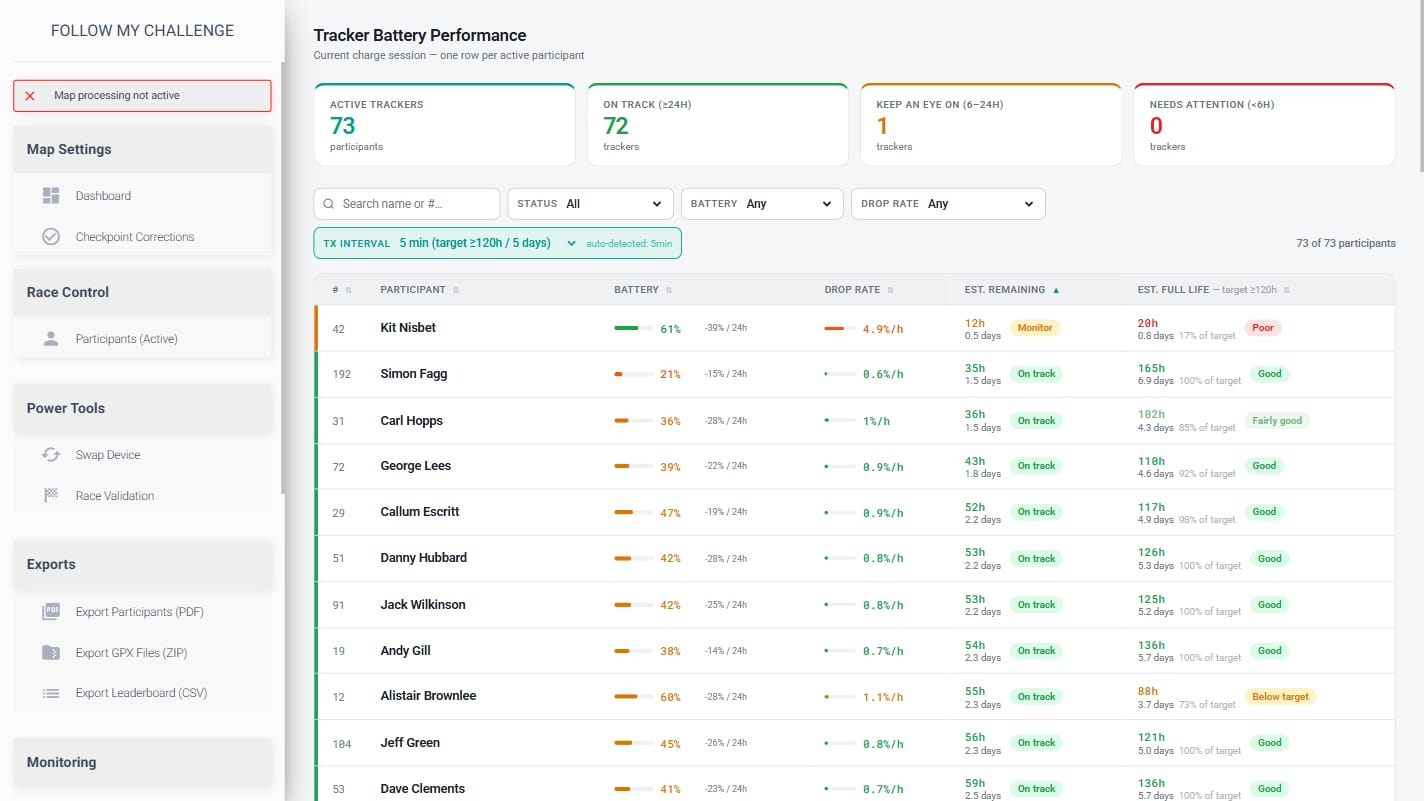
Beyond just enabling low battery alerts, we have also enhanced the battery data analytics within the manager. Battery usage for each device is tracked, with fast-draining devices automatically flagged. The Device Overview tab now uses this data to display a battery life estimate for each tracker, whilst the brand new Battery Performance tab gives a colour-coded overview of performance.